
One design can become products at Gelato, Printful, and Printify. ArtDrop reads the image, writes the title, description, SEO fields, and alt text in your trained voice, and creates products at all three providers. Product tags come from your saved settings and artwork metadata. Supported Gelato and Printify connections can publish Shopify or Etsy listings.
A provider comparison can sound as though the seller must choose one company for the whole catalog. That is not required. Some stores deliberately split products across providers after comparing catalogs, routes, samples, prices, support, and policies. Others choose one provider because simpler operations outweigh a marginal product-level difference.
Splitting a catalog gives you more product and regional choices, with more provider accounts to manage. This guide shows when that tradeoff makes sense and how one run can replace repeated entry across all three accounts. ArtDrop is the tool used in the walkthrough, and provider details link to their official sites.
Why Would You Publish One Design to Three Providers?
Because catalogs, production networks, prices, regions, and sample quality vary by product. Gelato emphasizes distributed production, Printful uses owned and partner facilities, and Printify is a marketplace of independent print partners. None of that makes a category winner universal. Compare the exact SKU, destination, landed cost, delivery estimate, support path, and sample.
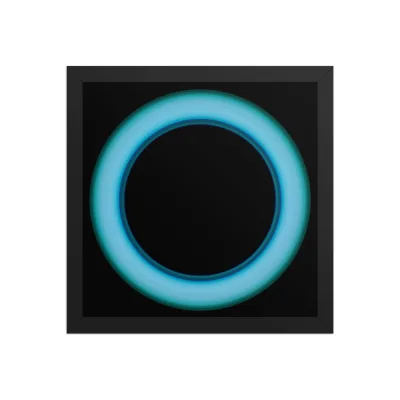
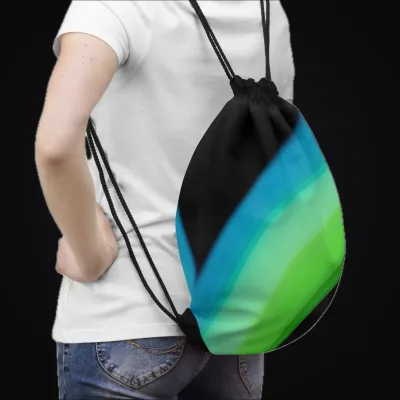
The framed poster shows a Printful product mockup. The drawstring bag shows a Printify product mockup.
The full reasoning, including when one provider is genuinely enough, is in the three-way provider comparison. The point here: for a catalog with wall art, apparel, and drinkware, "which provider is best" is often the wrong question. The answer is frequently "two or three of them, each doing what it does best."
Can Printful and Printify Share One Shopify Store?
Yes. Shopify does not limit you to one print-on-demand app. You can install the Gelato, Printful, and Printify apps side by side on the same store, and each provider fulfills the products that belong to it. When an order comes in for your Printful hoodie, Printful produces and ships it. When the same customer adds a Printify mug, that line item routes to Printify. The customer sees one store and one checkout.
The first-party tools handle fulfillment routing and product creation inside their own ecosystems. Printful uses its web Design Maker to create and publish products. Printify's native iOS/Android apps can create, design, edit, and publish products, and Smart Suggest can draft a title, description, and tags. Gelato's mobile app manages products and orders, but new-product creation redirects to its web flow. What none of these first-party tools does is turn one artwork into products across all three providers in a shared workflow. Each provider's setup is covered in the connect guides for Gelato, Printful, and Printify.
What Does Manual Multi-Provider Publishing Actually Cost You?
Triple data entry. Running one design through three providers by hand means repeating almost the entire listing workflow per provider, because each provider has its own catalog, its own artwork placement tools, its own variant setup, and its own publish flow. The copy is the only piece you can partially reuse, and even that gets pasted and re-formatted three times.
Here is what repeats for every provider you add:
- Upload the source image to that provider's library
- Pick each blank from that provider's catalog and configure variants
- Position the artwork on every product, check print area and bleed
- Generate and review mockups
- Paste in the title and description, then adapt them to that provider's fields
- Publish to Shopify and fix whatever landed wrong
There is no universal per-listing duration. Time one representative product in each provider you use, including placement, variants, pricing, copy, mockups, publishing, and verification. One artwork becoming a Gelato poster, a Printful tee, and a Printify mug still creates three provider-specific sessions by hand; multiply your measured time by the actual backlog before deciding whether automation pays.
How to Publish One Artwork to All Three Providers at Once
This is the workflow ArtDrop was built around. Initial setup is reusable, but revisit it whenever products, provider terms, costs, variants, regions, or store settings change.
Create or select the provider accounts you want to use. Each provider offers a standard entry path without requiring its optional paid subscription, but samples, production, shipping, taxes, platform or transaction fees, paid plans, and the cash-flow gap before a Shopify payout can still matter. Connect supported accounts to ArtDrop with Shopify, then verify the active destinations before a batch.
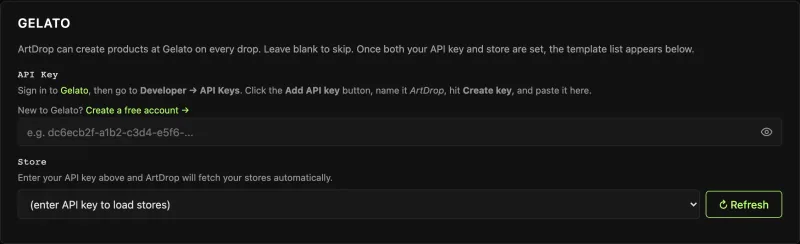
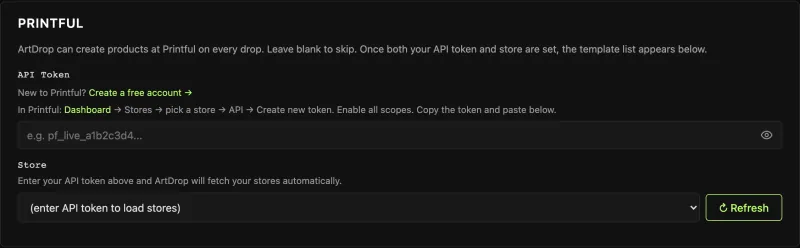
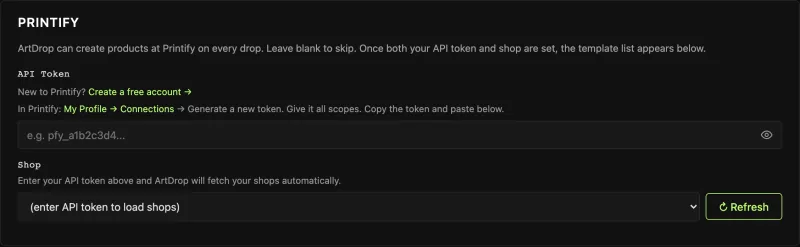
This is where the catalog split becomes a reusable setting. Configure the product formats you sell and which provider fulfills each one, based on current samples, landed cost, delivery coverage, and product fit. Reuse that map while it remains valid and revisit it when any of those inputs change.
Optional but worth doing first. ArtDrop's voice training builds a writing profile from documents you upload, your website, or your own Reddit data export, so the listings read like you wrote them rather than like a template. Do this before processing a backlog, because fixing copy on fifty live products is more work than getting the voice right up front.
Upload the image after configuring provider templates, variants, prices, stores, and accounts. ArtDrop reads the artwork rather than relying only on the filename and writes the title, description, SEO fields, and alt text in your trained voice. There is no provider-side example product to clone per batch.
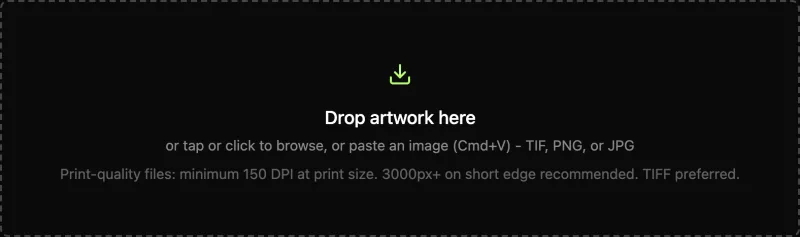
ArtDrop creates your selected products at all three providers. Supported Gelato and Printify connections can publish the resulting listings to your store. You choose the pricing and product fit, then check placement, variants, prices, copy, and shipping.
The Web demo includes up to 3 drops to test the workflow on your own art. ArtDrop writes the copy and creates your selected products. Gelato and Printify connections can publish store listings. ArtDrop Web carries a 14-day money-back guarantee, and the FAQ covers plan prices, refunds, provider setup, and account help.
Do You Have to Write the Listing Three Times?
Automation can reuse artwork and Voice Trainer context without forcing identical copy onto every product. Product facts, field limits, materials, sizes, and channel requirements may differ, so verify each resulting title, description, tag set, and alt text rather than pasting one block everywhere.
Which Tools Can Publish to All Three Providers?
Among the options reviewed in July 2026, coverage varies materially.
The native provider tools are the first-party baseline. They cover order routing and product creation in their own catalogs. Printful has Design Maker; Printify supports web and native-mobile creation plus Smart Suggest; Gelato uses its web flow for new products even when you begin in the mobile app. Standard account paths may not require optional paid subscriptions, but production, shipping, fees, taxes, samples, upgrades, and cash-flow timing remain. They do not provide one cross-provider artwork workflow.
Bulk POD Product Creator documents example-product batch creation for Printify and Gelato, image-recognition copy, auto-fit, and an “upscale to 300 DPI” claim. DPI metadata alone does not prove usable pixel resolution, and stretching can affect composition, so inspect output files and placement. No Printful option appears in the public interface reviewed. Its trial is 14 days capped at 100 created products; paid use combines a subscription with a per-product fee. See the full comparison.
MESA is a general Shopify workflow platform. Its published Printful examples focus on order routing, product-data sync, and tracking writeback. A March 2023 tutorial also tells merchants to write original descriptions and edit product details. Those pages do not describe an artwork-to-product creator.
ArtDrop turns one finished artwork into products at Gelato, Printful, and Printify. When copy generation is enabled, it reads the artwork and drafts fields with Voice Trainer context; seller-written copy is also supported. Gelato and Printify connections can publish store listings. Pricing is $39 per month for web. Publishing has no per-product ArtDrop fee. ArtDrop Web includes 500 managed copy credits each month and also supports your own provider key. The wider field is covered in the best POD automation tools guide.
Scroll sideways to compare all columns.
| Option | Providers covered | Creates the listings? | Writes the copy? |
|---|---|---|---|
| Native provider apps | Their own provider only | Within each provider's own workflow | Capabilities vary; Printify offers Smart Suggest |
| Bulk POD Product Creator | Printify and Gelato (no Printful) | Yes, in bulk | Image-recognition product information |
| MESA | Connects existing apps | No product creation documented in the Printful examples reviewed | A March 2023 tutorial asks merchants to write descriptions |
| ArtDrop | Gelato, Printful, and Printify | Products at all three; store listings through supported Gelato and Printify connections | Yes, in your trained voice |
Snapshot as of July 2026, drawn from each tool's own site. Competitor details change, so confirm current capabilities and pricing directly before you commit.
Recap: What One Drop Actually Automates
One ArtDrop run creates products at Gelato, Printful, and Printify and handles these repeated steps:
- Reading the artwork. Subject, colors, mood, and composition are read from the image itself, not the filename.
- Writing the shared listing fields. Title, description, SEO fields, and alt text are written from the artwork in your trained voice and applied to each product.
- Creating products. ArtDrop sends your active, supported templates to the selected providers. A file, credential, template, catalog, or provider error stops that product and is noted in the drop log.
- Shopify publishing. Supported Gelato and Printify connections can create Shopify listings.
- Repeated entry. One run replaces the separate provider setup passes you would otherwise repeat by hand.
You keep provider selection, sampling, pricing strategy, margin and cash-flow decisions, catalog curation, and final approval.
Frequently Asked Questions
Can I publish one design to Gelato, Printful, and Printify at the same time?
Yes. ArtDrop creates products through connected Gelato, Printful, and Printify accounts in one run. Supported Gelato and Printify connections can publish corresponding Shopify listings. A standalone Printful store keeps the product for you to publish later. With a Shopify-connected Printful store, ArtDrop creates a live Shopify listing. Start with a small representative batch.
Can Printful and Printify share one Shopify store?
Yes. Shopify can connect Gelato, Printful, and Printify side by side, and each provider fulfills the products assigned to it. Their first-party tools also create and publish products within their own ecosystems: Printful uses its web Design Maker, Printify supports native-mobile creation plus Smart Suggest, and Gelato redirects new-product creation from mobile to web. What they do not provide is one artwork-first workflow across all three providers.
Do I need paid accounts at all three POD providers?
No optional paid provider subscription is required merely to compare the standard entry paths, but that does not make the workflow cost-free. Samples, production, shipping, taxes, platform or transaction fees, paid-plan upgrades, and the timing gap before Shopify pays out can all affect cash flow. Confirm current provider and channel terms.
Do I have to write the product listing three times for three providers?
Not necessarily. ArtDrop writes a title, description, SEO fields, and alt text for the artwork using image analysis and your trained voice, then applies them to the products. Provider and storefront field limits can differ, so it is worth a quick check. In a manual workflow, you must adapt and re-enter the copy across separate dashboards yourself.
Which products should go to which provider?
There is no universal split. Compare catalog availability, production location, total landed cost, delivery estimates, support, and physical samples for each SKU and destination. Printful uses owned and partner facilities, Printify varies by selected print partner, and Gelato uses a distributed network. Recheck the mapping when products or terms change.