
Artists can now automate much of the work between finished art and a store listing. Visual analysis and a Copy Engine draft the listing fields. Provider APIs create the products. Supported Gelato and Printify connections publish to Shopify or Etsy. Native provider integrations handle paid orders and production. You keep the art, curation, provider choice, pricing, margins, and final review.
If you make original work, paintings, illustrations, photographs, and you sell prints of it, "automation" probably sounds like a dropshipper word. Most automation content is written for people uploading 500 generic designs a day, not for someone with a real body of work and a real name on it. This page is the other version: the artist's workflow mapped stage by stage, with a verdict on what a tool can take off your plate, what the free apps already handle, and what still needs a human.
This guide is published by ArtDrop. Details about other tools come from their official sites as of July 2026, with links to the source pages.
What Does Print-on-Demand Automation Actually Cover?
Print-on-demand automation covers the middle of the workflow: everything between a finished artwork file and a live product listing. That means creating the products at your print provider, writing the listing copy (title, description, tags, alt text), and publishing the result to your store. The two ends of the pipeline are already spoken for: you make the art, and the providers fulfill the orders.
Here is the whole workflow as stages, with the status of each:
The rest of this guide takes the stages that matter one at a time.
Can Image-Aware Automation Write Your Product Descriptions?
Yes, and this is the stage that has improved the most. Visual analysis can now look at the actual artwork, the subject, the palette, the mood, and the composition, then give the Copy Engine what it needs to write a title, description, SEO fields, and alt text from the image rather than from a filename. Product tags come from your saved settings and artwork metadata. That is a meaningful difference for an artist, because your filenames say "IMG_4302.jpg" and your work does not.
Tone and factual specificity require testing. A March 2023 MESA tutorial on a Printful workflow tells merchants to write original descriptions and edit product details after connecting the automation (source). That example shows an operational integration whose copy remains merchant-supplied.
The fix that actually works is voice training. ArtDrop builds a writing profile from things you have already written, such as uploaded documents, your website, or your own Reddit data export, so the generated listings sound like you rather than a template. The no-code POD automation guide explains how image-aware copy fits into the full publishing workflow and where generic shortcuts fall short.
Verdict: automatable. Proof the first batch of outputs before you trust it, the same way you would proof a human copywriter.
Can You Automate Product Creation at Gelato, Printful, and Printify?
Yes. The providers' own tools create and publish products within their ecosystems, generally one product at a time. Printful uses its web Design Maker. Printify's native iOS/Android apps can browse the catalog, create, design, edit, and publish products, and Smart Suggest can draft listing fields. Gelato's mobile app manages products and orders but redirects new-product creation to its web flow. The missing layer is not basic product creation; it is one artwork-first workflow across several providers.
Third-party tools can use provider APIs to reduce repeated product-editor work. Coverage differs: Bulk POD Product Creator documents Printify and Gelato but not Printful (source). ArtDrop creates products through your connected Gelato, Printful, and Printify accounts. Review templates, files, placement, variants, prices, and finished products.
Verdict: automatable. Use the provider's own tool for a provider-specific, one-at-a-time workflow, or a documented third-party pipeline when you need repeatable multi-provider creation.
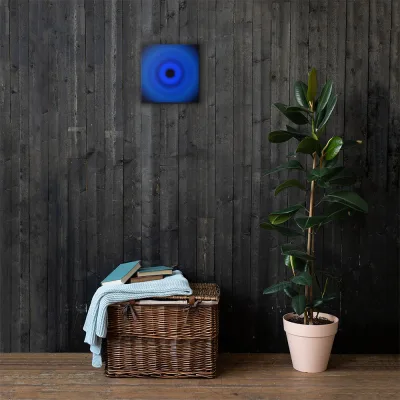
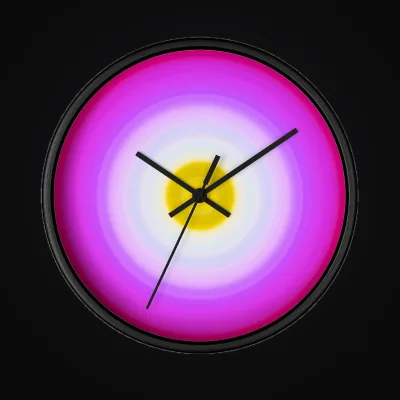
Printful and Printify provider mockups of example product formats.
Can You Auto-Publish to Multiple Print Providers at Once?
Yes. One upload can create products through your connected Gelato, Printful, and Printify accounts in one run. Choose each provider from current catalog availability, destination, total landed cost, delivery estimate, support, and physical samples.
Why bother with more than one provider? Because catalogs, production networks, prices, regions, and sample quality differ by product. Gelato emphasizes distributed local production. Printful uses both its own facilities and partner facilities. Printify is a network of independent print providers with prices that vary by partner. Embroidery is not a Printful exclusive: Printify offers embroidery-ready items, and Gelato documents flat embroidery too. The full breakdown is in Gelato vs Printful vs Printify.
Verdict: automatable, though most tools in this space are single-provider or two-provider. Check the provider list before you subscribe to anything.
Can the Resulting Listings Publish to Shopify?
Yes. Once the products and listing fields exist, automation can publish the store listings without another data-entry session. Review variants, placement, prices, shipping settings, copy, and alt text on the finished listing.
ArtDrop can publish to Shopify or Etsy through supported Gelato or Printify connections. Digital Etsy downloads publish directly through the Etsy API. Physical Etsy products publish through your Etsy-connected Printify shop or Gelato store. ArtDrop-created Shopify products can reach Pinterest through Shopify's official Pinterest sales channel.
ArtDrop Web can also share a live product on Bluesky. Open Social Publishing, connect your profile, review the caption and image, and publish when ready or schedule it for later. The Bluesky guide walks you through it.
Verdict: automatable, and this is the stage with the least reason to keep doing by hand.
Does Order Fulfillment Automate Itself?
Yes. Native Shopify integrations from Printful, Printify, and Gelato can route orders to production. Printful documents production, packing, shipping, stock sync, and live rates with no upfront fee for the integration itself (source). That is not the same as cost-free fulfillment: the seller still funds production, shipping, taxes or fees, optional plans, samples, and the gap before storefront payout.
Setup guides for each provider are here: connect Gelato, connect Printful, and connect Printify. General workflow platforms such as MESA can add order routing, data sync, tracking writeback, and other app logic. MESA's Printful examples are operational workflows, not artwork-to-product creation (source).
Verdict: provider integrations automate the routing. Verify payment, inventory, shipping, returns, and failure handling with a test order before relying on the flow.
Can You Do All of This From an iPad?
Yes, through the web app in a mobile browser. If you paint or draw in Procreate on an iPad, you can export the finished piece and start the workflow from Safari; the same page works on a phone.
The one caveat is that a tablet or phone is a fine place to run a drop and a cramped place to do a careful proof pass on a long description, so I still read the generated copy on a bigger screen when I can. The full walkthrough of the mobile and tablet flow, including how the drop zone behaves on a touch screen, is in the mobile and tablet guide.
Verdict: automatable from supported devices, through a supported modern browser on the web app.
Can You Run More Than One Store?
ArtDrop supports additional stores. Each store keeps its own storefront connection, Gelato store or Printify shop, voice, product lines, and templates. Select the active store in Your Stores or route a batch explicitly with store and line fields in per-image JSON sidecars or CSV or XLSX input. If a store name does not match one you saved, ArtDrop stops that drop instead of publishing to the wrong shop.
Up to 25 stores per account. Your first store is included. See Pricing for added-store prices. ArtDrop does not charge per published product, each store supports up to 50 product lines, and each store can keep its own brand voice. You add or remove stores yourself. Most artists need one. The ones who need more usually know exactly why.
Verdict: multi-store publishing is live. Store and product-line routing is explicit, and each store publishes only to its named destination.
What Still Needs a Human?
Four things, and they are the four that matter. First, the art. Nothing here generates work for you. Second, curation: which pieces deserve to be products, and which products suit which piece. A moody landscape wants a framed print, not necessarily a mug, and no tool knows your work well enough to make that call. Third, pricing: base costs differ by provider and product, and your margin is a business decision, not a default. Fourth, the proof pass: image-aware copy in your voice is a strong draft, and you should still read it before it represents you.
A Worked Example: A Painter With 40 Pieces
Say you are a painter with 40 finished pieces and no store catalog. Time one representative manual product from upload through verification. If your measured time were 30 to 45 minutes, multiplying that assumption by 40 would produce 20 to 30 hours for one product route. That is an illustrative planning model, not a benchmark; products, providers, mockups, revisions, and experience change the result.
The automated test includes account and template setup, Voice Trainer setup if used, provider processing, and review of both provider and Shopify records. Run one to three representative artworks, measure elapsed and hands-on time, count corrections, then project the backlog. Recheck the model whenever products, providers, prices, or the review process changes.
Recap: What You Can Automate and What You Cannot
The whole guide in one table, as of July 2026.
Scroll sideways to compare all columns.
| Task | Automatable? | Notes |
|---|---|---|
| Making the artwork | No | Yours, always |
| File prep for print | Partly | Some tools resize or upscale; check resolution on large formats yourself |
| Product creation at Gelato, Printful, Printify | Yes | First-party tools create one provider at a time; third-party tools can span providers |
| Titles, descriptions, SEO tags, alt text | Yes | Visual analysis reads the artwork; train your voice or expect generic tone |
| Publishing listings to Shopify | Yes | Goes live with no data entry in the admin |
| Product mockup images | Mostly | Providers generate standard product images; styled lifestyle shots are on you |
| Choosing pieces and product formats | No | Curation is the artist's call |
| Pricing and margin | No | A business decision, not a default |
| Order fulfillment and shipping | Already automatic | First-party provider integrations handle it; plan and operating costs vary |
| Marketing and audience | No | No tool builds your collector base for you |
Snapshot as of July 2026. Tool capabilities change; confirm provider coverage and features on each tool's own site before you commit.
Which Tools Cover Which Stages?
No single tool owns every stage. Providers handle fulfillment. Platforms like MESA connect apps. Bulk POD Product Creator covers bulk creation at Printify and Gelato with a subscription and per-product fee after its trial (source). ArtDrop creates products across Gelato, Printful, and Printify, while supported Gelato and Printify connections can publish to Shopify or Etsy. A standalone Printful store keeps the product for you to publish later. With a Shopify-connected Printful store, ArtDrop creates a live Shopify listing. ArtDrop costs $39/month for web, with no per-product publishing fee.
ArtDrop starts from a drop. Visual analysis and Voice Trainer context shape the listing drafts, then ArtDrop creates products through Gelato, Printful, and Printify. Supported Gelato and Printify connections can publish to Shopify or Etsy. Review the templates, prices, provider responses, and finished products.
Frequently Asked Questions
What parts of print on demand can an artist actually automate?
The middle of the workflow: listing drafts, product creation, store publishing, and order handling through provider integrations. You keep the artwork, curation, provider choice, pricing, margin, and final review.
Can image-aware automation write good product descriptions for original artwork?
It can produce a useful draft when visual analysis reads the artwork and Voice Trainer context reflects the seller's writing. That is not a quality guarantee. Test representative images and verify facts, trademarks, keywords, tone, and unsupported claims before the copy represents the store.
Do the free Printful, Printify, and Gelato Shopify apps automate listings?
They automate more than fulfillment. Printful's web Design Maker creates and publishes store products. Printify's native iOS/Android apps create, design, edit, and publish products, and Smart Suggest drafts listing fields. Gelato's mobile app manages products but redirects new-product creation to its web flow. These tools remain provider-specific and do not create one artwork across all three catalogs in one shared run.
How much time does print-on-demand automation save an artist?
There is no universal saving. Time one to three representative products manually and through the candidate workflow, including setup, provider processing, corrections, and verification. Multiply measured hands-on time by the actual catalog and rerun the model when products or providers change.
Can one upload publish to more than one print provider at the same time?
Yes. ArtDrop can create products through connected Gelato, Printful, and Printify accounts in one run. Supported Gelato and Printify connections can publish to Shopify. Confirm product and region coverage before expanding a batch.
The bottom line: print-on-demand automation for artists is real, but it is not total. Repeated entry can automate well; creative, commercial, and verification decisions do not. Measure a representative test, inspect the records, and project only from evidence. ArtDrop offers up to 3 free Web demo drops for that test. ArtDrop Web includes a 14-day money-back guarantee.