// Shopify · For working artists

Turn finished art into a
Shopify collection

Drop one finished artwork. ArtDrop drafts the listing in your voice, creates the products you chose, and publishes supported Gelato and Printify listings to your Shopify store. With Printful, ArtDrop creates the product in Printful. You publish it when you are ready.
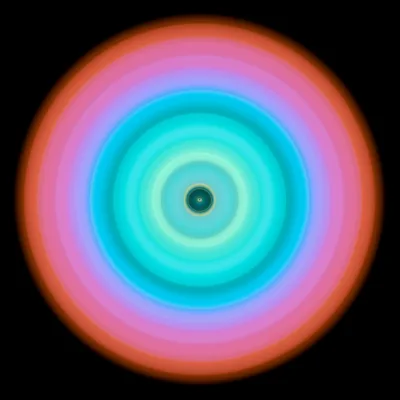
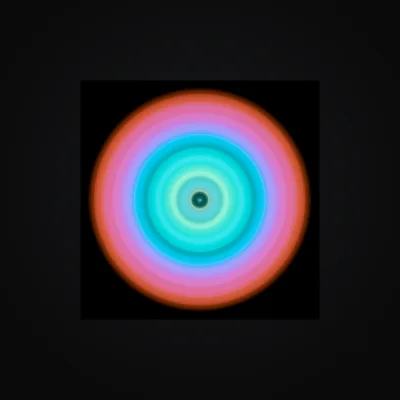
Original circular light artwork before product placement
Original Artwork
Circular light artwork shown on a fine art poster mockup
Fine Art Poster
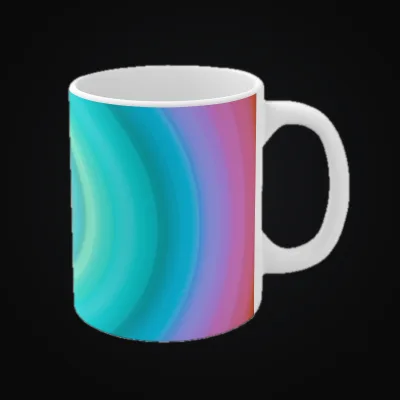
Circular light artwork shown on a ceramic mug mockup
Ceramic Mug
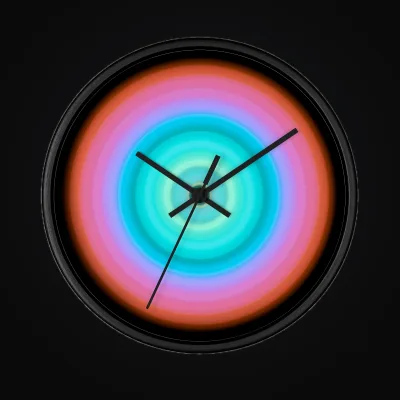
Circular light artwork shown on a wall clock mockup
Wall Clock
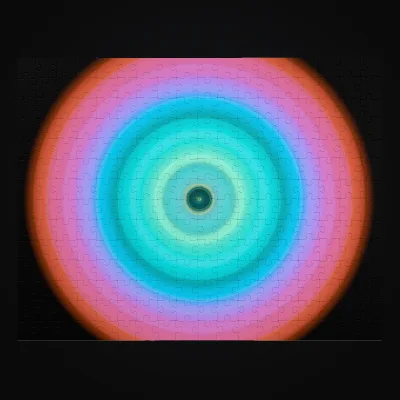
Circular light artwork shown on a jigsaw puzzle mockup
Jigsaw Puzzle

The art is finished. The catalog should follow.

A new artwork can become posters, mugs, home goods, and more. The repeated upload and listing work is what keeps many of those products off the shelf.

Without ArtDrop, each artwork means opening provider dashboards, uploading the file, rebuilding variants, writing the listing, and moving everything into Shopify. The creative work is finished, but the catalog work has just started.

Save the products you sell once. The next artwork can use the same variants, prices, providers, and Shopify organization without rebuilding the setup by hand.

One drop. Products and copy ready to sell.

Choose your saved products and Shopify store, then add the artwork. ArtDrop carries the same creative through the listing and product work.

1 · Drop your artwork
Drag in a finished file or paste it with Cmd+V. ArtDrop reads the image and any available EXIF data.
2 · Draft the listing
ArtDrop uses the artwork and your saved brand voice to draft a title, description, SEO, and alt text. Review the copy or refine it with plain-language feedback.
3 · Build your saved products
ArtDrop creates the Gelato, Printful, and Printify products you selected, using the variants and prices you already chose. Your provider accounts and catalogs stay yours.
4 · Publish to Shopify
Supported Gelato and Printify listings publish to the Shopify store you selected. Shopify handles checkout, customer data, and payments. Your print provider handles production, shipping, and fulfillment.

Compare the options in our Shopify POD automation roundup, broader POD automation roundup, and workflow guides for Printify, Gelato, Printful, or all three providers.

Manual Shopify POD vs.
ArtDrop automation

The same collection, with and without the repeated setup.

Step Manual ArtDrop
01, Upload Open each provider, create a product, upload the image. Repeat for every provider you sell on. Drop the file once and choose the saved providers you want to use.
One artwork upload
02, Copy Write a title, a description, and SEO tags by hand. Unique for each format. Usually rushed. ArtDrop drafts a title, description, SEO, and alt text from the image and your saved voice.
Ready for review
03, Variants Pick every size, set pricing per variant, verify each size and frame combination. Easy to miss one. ArtDrop applies the artwork to the saved products, sizes, and variants you selected.
Saved product setup
04, Shopify Copy content into Shopify, add metafields, assign collections, attach the fulfillment provider. Supported listings arrive in Shopify with their copy, images, and collections in place.
Direct Shopify publish

The product examples at the top of this page show one artwork on a fine art poster, ceramic mug, wall clock, and jigsaw puzzle.

Shopify is live through ArtDrop's direct connection. The public Shopify App Store route is not currently available. Connect with a merchant-owned app record in Shopify's Dev Dashboard.

$39 monthly.
Or $399 once.

Choose Web for a hosted app with automatic updates, or Mac for a lifetime license on up to two Macs. Your first store is included, and product publishing has no ArtDrop per-product fee. Copy generation is optional and separate. The signed-in Web app shows its available method, limits, and billing before generation. Mac uses your personal Anthropic key. You can also write your own copy.

Web app, Monthly
Hosted, runs in supported modern browsers included
No ArtDrop per-product or per-listing fee included
Gelato, Printful, and Printify product creation included
Shopify publishing for supported Gelato and Printify products included
First store included
Store positions 2 to 25 $10, $6, $3, or $2/mo by position
Cancel any time included
Base price
$39/mo
automatic updates

No long-term contract; cancel the web plan when you want. Sales, time savings, and return on cost are not guaranteed.

Mac app, One-time
Native macOS app, signed and notarized included
No ArtDrop per-product or per-listing fee included
Gelato, Printful, and Printify product creation included
Shopify publishing for supported Gelato and Printify products included
First store included
Store positions 2 to 25 $75, $45, $25, or $15 once by position
Perpetual license, runs on 2 Macs included
Base price
$399
one-time, own it forever

Buy once and own it. Your Shopify and provider credentials stay on your own machine.

Shopify POD automation, answered

The questions artists ask before they start.

Does ArtDrop publish directly to Shopify?
Yes. Supported Gelato and Printify products can publish directly to the Shopify store you selected, with their listing copy, images, and collections.
Which print on demand providers does it support?
Gelato, Printful, and Printify. Choose the saved products you want for each artwork. You keep your own provider accounts, catalogs, variants, and prices.
Are there per-product or per-listing fees?
The Web app is $39 per month. The lifetime Mac app is $399 for up to two Macs. Your first store is included, and product publishing has no ArtDrop per-product or per-listing fee. Copy generation is optional and separate. Mac uses your personal Anthropic key, and you can always provide your own copy.
Can I connect more than one Shopify store?
Yes. Give each Shopify store its own brand voice, products, naming, and tags. Choose one store or several for each drop. Your first store is included, and additional stores use the published tiered pricing.
Will the Copy Engine output sound generic?
The draft starts with the actual artwork and the brand voice you saved in Voice Trainer. Review it in ArtDrop, refine it with feedback, and make any final edits in Shopify.
Can I try it before paying?
The Web demo gives you up to 3 free drops before you buy. The Mac app has no demo. Both paid plans carry a 14-day money-back guarantee. Neither changes the normal costs or business risks of running a store.

// Ready to automate

Build your next
Shopify collection.

Try up to 3 drops in the Web demo. Add finished artwork and see the copy and products ArtDrop creates before you buy.

Start with ArtDrop

Up to 3 free Web demo drops · one store included · 14-day refund